


Page 698 - Divyank Tyagi
P. 698
664   |  ChapteR  15  Creating StairS and railingS


                           Editor. “But what about parameters?” you ask. Well, sometimes defining the parameters takes
                           more time than making the change manually in one place and then reloading the results into
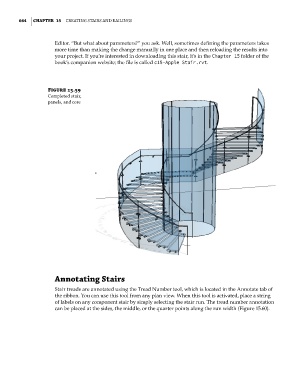
                           your project. If you’re interested in downloading this stair, it’s in the Chapter 15 folder of the
                           book’s companion website; the file is called c15-Apple Stair.rvt.


                        Figure 15.59
                        Completed stair,
                        panels, and core


                           annotating Stairs

                           Stair treads are annotated using the Tread Number tool, which is located in the Annotate tab of
                           the ribbon. You can use this tool from any plan view. When this tool is activated, place a string
                           of labels on any component stair by simply selecting the stair run. The tread number annotation
                           can be placed at the sides, the middle, or the quarter points along the run width (Figure 15.60).


          c15.indd   664                                                                             5/3/2014   11:31:44 AM

