


Page 43 - Computer Graphics Handout
P. 43
2.3 THE OPENGL APPLICATION PROGRAMMING INTERFACE


          We have the heart of a simple graphics program; now, we want to gain control over how our objects appear on the display. We also
          want to control the flow of the program, and we have to interact with the window system. Before completing our program, we
          describe the OpenGL Application Programming Interface (API) in more detail. Because vertices are represented in the same manner
          internally, whether they are specified as two- or three-dimensional entities, everything that we do here will be equally valid in three
          dimensions. Of course, we can do much more in three dimensions, but we are only getting started. In this chapter, we concentrate
          on how to specify primitives to be displayed.
          OpenGL’s structure is similar to that of most modern APIs, such as DirectX. Hence, any effort that you put into learning OpenGL will
          carry over to other software systems. Although OpenGL is easy to learn, compared with other APIs, it is nevertheless powerful. It
          supports the simple two- and three-dimensional programs that we  will develop in  Chapters 2 through 5; it also supports the
          advanced rendering techniques that we study in Chapters 7 through 11.


          Our prime goal is to study computer graphics; we are using an API to help us attain that goal. Consequently, we do not present all
          OpenGL functions, and we omit many details. However, our sample programs will be complete. More detailed information on
          OpenGL and on other APIs is given in the Suggested Readings section at the end of the chapter.

          2.3.1 Graphics Functions
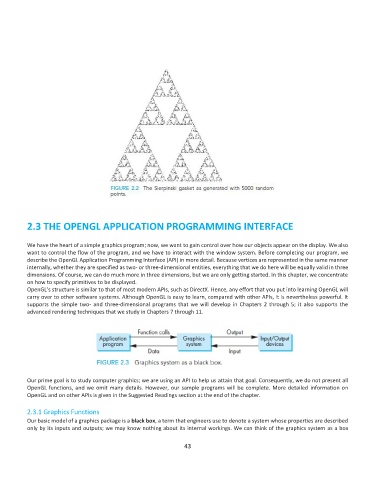
          Our basic model of a graphics package is a black box, a term that engineers use to denote a system whose properties are described
          only by its inputs and outputs; we may know nothing about its internal workings. We can think of the graphics system as a box

                                                              43

