


Page 65 - Computer Graphics Handout
P. 65
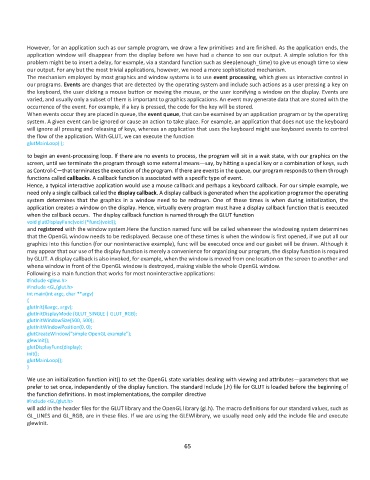
However, for an application such as our sample program, we draw a few primitives and are finished. As the application ends, the
          application window will disappear from the display before we have had a chance to see our output. A simple solution for this
          problem might be to insert a delay, for example, via a standard function such as sleep(enough_time) to give us enough time to view
          our output. For any but the most trivial applications, however, we need a more sophisticated mechanism.
          The mechanism employed by most graphics and window systems is to use event processing, which gives us interactive control in
          our programs. Events are changes that are detected by the operating system and include such actions as a user pressing a key on
          the keyboard, the user clicking a mouse button or moving the mouse, or the user iconifying a window on the display. Events are
          varied, and usually only a subset of them is important to graphics applications. An event may generate data that are stored with the
          occurrence of the event. For example, if a key is pressed, the code for the key will be stored.
          When events occur they are placed in queue, the event queue, that can be examined by an application program or by the operating
          system. A given event can be ignored or cause an action to take place. For example, an application that does not use the keyboard
          will ignore all pressing and releasing of keys, whereas an application that uses the keyboard might use keyboard events to control
          the flow of the application. With GLUT, we can execute the function
          glutMainLoop( );

          to begin an event-processing loop. If there are no events to process, the program will sit in a wait state, with our graphics on the
          screen, until we terminate the program through some external means—say, by hitting a special key or a combination of keys, such
          as Control-C—that terminates the execution of the program. If there are events in the queue, our program responds to them through
          functions called callbacks. A callback function is associated with a specific type of event.
          Hence, a typical interactive application would use a mouse callback and perhaps a keyboard callback. For our simple example, we
          need only a single callback called the display callback. A display callback is generated when the application programor the operating
          system  determines  that  the  graphics  in  a  window  need  to  be  redrawn.  One  of  these  times  is  when  during  initialization,  the
          application creates a window on the display. Hence, virtually every program must have a display callback function that is executed
          when the callback occurs.  The display callback function is named through the GLUT function
          void glutDisplayFunc(void (*func)(void));
          and registered with the window system.Here the function named func will be called whenever the windowing system determines
          that the OpenGL window needs to be redisplayed. Because one of these times is when the window is first opened, if we put all our
          graphics into this function (for our noninteractive example), func will be executed once and our gasket will be drawn. Although it
          may appear that our use of the display function is merely a convenience for organizing our program, the display function is required
          by GLUT. A display callback is also invoked, for example, when the window is moved from one location on the screen to another and
          whena window in front of the OpenGL window is destroyed, making visible the whole OpenGL window.
          Following is a main function that works for most noninteractive applications:
          #include <glew.h>
          #include <GL/glut.h>
          int main(int argc, char **argv)
          {
          glutInit(&argc, argv);
          glutInitDisplayMode (GLUT_SINGLE | GLUT_RGB);
          glutInitWindowSize(500, 500);
          glutInitWindowPosition(0, 0);
          glutCreateWindow("simple OpenGL example");
          glewInit();
          glutDisplayFunc(display);
          init();
          glutMainLoop();
          }

          We use an initialization function init() to set the OpenGL state variables dealing with viewing and attributes—parameters that we
          prefer to set once, independently of the display function. The standard include (.h) file for GLUT is loaded before the beginning of
          the function definitions. In most implementations, the compiler directive
          #include <GL/glut.h>
          will add in the header files for the GLUT library and the OpenGL library (gl.h). The macro definitions for our standard values, such as
          GL_LINES and GL_RGB, are in these files. If we are using the GLEWlibrary, we usually need only add the include file and execute
          glewInit.


                                                              65

