


Page 67 - Computer Graphics Handout
P. 67
glFlush();
          }
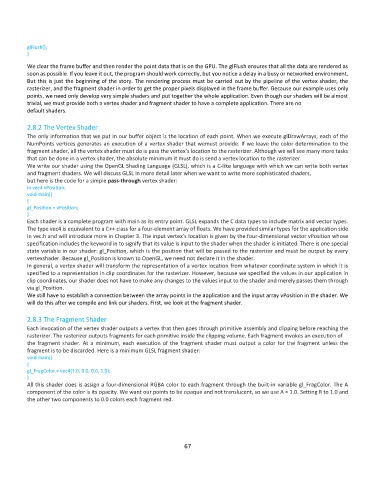
          We clear the frame buffer and then render the point data that is on the GPU. The glFlush ensures that all the data are rendered as
          soon as possible. If you leave it out, the program should work correctly, but you notice a delay in a busy or networked environment.
          But this is just the beginning of the story. The rendering process must be carried out by the pipeline of the vertex shader, the
          rasterizer, and the fragment shader in order to get the proper pixels displayed in the frame buffer. Because our example uses only
          points, we need only develop very simple shaders and put together the whole application. Even though our shaders will be almost
          trivial, we must provide both a vertex shader and fragment shader to have a complete application. There are no
          default shaders.

          2.8.2 The Vertex Shader
          The only information that we put in our buffer object is the location of each point. When we execute glDrawArrays, each of the
          NumPoints vertices generates an execution of a vertex shader that wemust provide. If we leave the color determination to the
          fragment shader, all the vertex shader must do is pass the vertex’s location to the rasterizer. Although we will see many more tasks
          that can be done in a vertex shader, the absolute minimum it must do is send a vertex location to the rasterizer.
          We write our shader using the OpenGL Shading Language (GLSL), which is a C-like language with which we can write both vertex
          and fragment shaders. We will discuss GLSL in more detail later when we want to write more sophisticated shaders,
          but here is the code for a simple pass-through vertex shader:
          in vec4 vPosition;
          void main()
          {
          gl_Position = vPosition;
          }
          Each shader is a complete program with main as its entry point. GLSL expands the C data types to include matrix and vector types.
          The type vec4 is equivalent to a C++ class for a four-element array of floats. We have provided similar types for the application side
          in vec.h and will introduce more in Chapter 3. The input vertex’s location is given by the four-dimensional vector vPosition whose
          specification includes the keyword in to signify that its value is input to the shader when the shader is initiated. There is one special
          state variable in our shader: gl_Position, which is the position that will be passed to the rasterizer and must be output by every
          vertexshader. Because gl_Position is known to OpenGL, we need not declare it in the shader.
          In general, a vertex shader will transform the representation of a vertex location from whatever coordinate system in which it is
          specified to a representation in clip coordinates for the rasterizer. However, because we specified the values in our application in
          clip coordinates, our shader does not have to make any changes to the values input to the shader and merely passes them through
          via gl_Position.
          We still have to establish a connection between the array points in the application and the input array vPosition in the shader. We
          will do this after we compile and link our shaders. First, we look at the fragment shader.

          2.8.3 The Fragment Shader
          Each invocation of the vertex shader outputs a vertex that then goes through primitive assembly and clipping before reaching the
          rasterizer. The rasterizer outputs fragments for each primitive inside the clipping volume. Each fragment invokes an execution of
          the fragment shader. At a minimum, each execution of the fragment shader must output a color for the fragment unless the
          fragment is to be discarded. Here is a minimum GLSL fragment shader:
          void main()
          {
          gl_FragColor = vec4(1.0, 0.0, 0.0, 1.0);
          }
          All this shader does is assign a four-dimensional RGBA color to each fragment through the built-in variable gl_FragColor. The A
          component of the color is its opacity. We want our points to be opaque and not translucent, so we use A = 1.0. Setting R to 1.0 and
          the other two components to 0.0 colors each fragment red.


                                                              67

