


Page 71 - Computer Graphics Handout
P. 71
We have argued that two-dimensional graphics is a special case of three-dimensional graphics, but we have not yet seen a complete
          three-dimensional program. Next, we convert our two-dimensional Sierpinski gasket program to a program that will generate a
          three-dimensional gasket; that is, one that is not restricted to a plane.
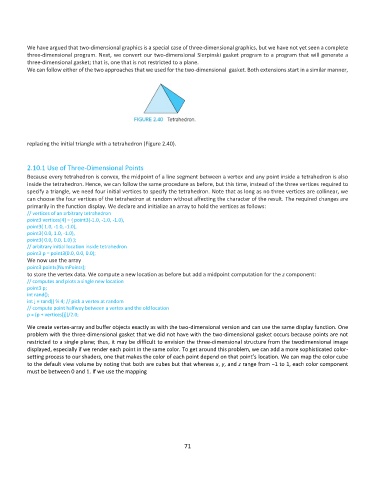
          We can follow either of the two approaches that we used for the two-dimensional  gasket. Both extensions start in a similar manner,


          replacing the initial triangle with a tetrahedron (Figure 2.40).


          2.10.1 Use of Three-Dimensional Points
          Because every tetrahedron is convex, the midpoint of a line segment between a vertex and any point inside a tetrahedron is also
          inside the tetrahedron. Hence, we can follow the same procedure as before, but this time, instead of the three vertices required to
          specify a triangle, we need four initial vertices to specify the tetrahedron. Note that as long as no three vertices are collinear, we
          can choose the four vertices of the tetrahedron at random without affecting the character of the result. The required changes are
          primarily in the function display. We declare and initialize an array to hold the vertices as follows:
          // vertices of an arbitrary tetrahedron
          point3 vertices[4] = { point3(-1.0, -1.0, -1.0),
          point3( 1.0, -1.0, -1.0),
          point3( 0.0, 1.0, -1.0),
          point3( 0.0, 0.0, 1.0) };
          // arbitrary initial location inside tetrahedron
          point3 p = point3(0.0, 0.0, 0.0);
          We now use the array
          point3 points[NumPoints];
          to store the vertex data. We compute a new location as before but add a midpoint computation for the z component:
          // computes and plots a single new location
          point3 p;
          int rand();
          int j = rand() % 4; // pick a vertex at random
          // compute point halfway between a vertex and the old location
          p = (p + vertices[j])/2.0;

          We create vertex-array and buffer objects exactly as with the two-dimensional version and can use the same display function. One
          problem with the three-dimensional gasket that we did not have with the two-dimensional gasket occurs because points are not
          restricted to a single plane; thus, it may be difficult to envision the three-dimensional structure from the twodimensional image
          displayed, especially if we render each point in the same color. To get around this problem, we can add a more sophisticated color-
          setting process to our shaders, one that makes the color of each point depend on that point’s location. We can map the color cube
          to the default view volume by noting that both are cubes but that whereas x, y, and z range from −1 to 1, each color component
          must be between 0 and 1. If we use the mapping


                                                              71

