


Page 56 - Computer Basics - Research
P. 56
If you’re Al Gore explaining trends in CO2 emissions, slides can be essential – they can also be a distraction. When
           I’m struggling, trying to decide if I need a slide or not, I ask myself: “Will it make my speech better?” If not, I
           remove it.

           Advanced PowerPoint Slide Presentations


           Your video aid can be a tremendous teaching aid OR it can be a real distraction to your audience.  Just because
           you have created a PowerPoint does not mean that the audience will enjoy it or even learn from it.  It is better
           NOT to have a visual aid that “turns the audience off” than to create a boring visual and use it in your
           presentation.

           Today, we want to learn how to create really good video aids!  We want our PowerPoint or Keynote
           presentations to “wow” our audience and increase their learning!  We want our video to enhance your message
           and bring your points to heart. Let’s learn what to do and WHAT NOT TO DO in creating a presentation in
           PowerPoint or Keynote.


           Advanced Automations and Transitions in PowerPoint

           Some motions in slides are captivating to the viewer as long as it makes sense to the eyes.  Spinning
           words or images distracts from a presentation, whereas sliding from one slide to another helps the
           viewer transition their thoughts from one place to another.


           Let’s learn some advance techniques in PowerPoint that will enhance your presentations.

           Question and Answer Slides


           Quite often in a presentation, you want to pose a question to the audience.  This is especially effective when you
           want them to think of a response.  This action will tend to draw them into what you are teaching them, PLUS it
           has the great advantage of resetting their attention span.   So, if you have talked for a time, you might want to re-
           engage the audience by asking them a question.  It really does not make a difference if you ask for their
           response.  Just give them some time to think of an answer should you call on them.


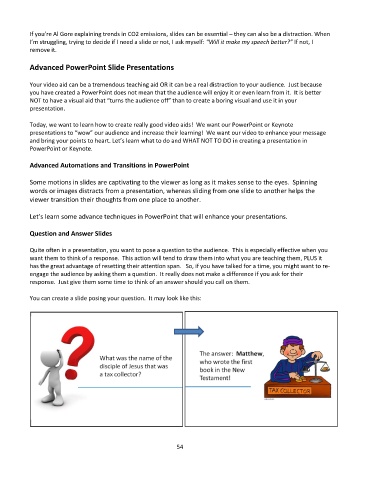
           You can create a slide posing your question.  It may look like this:


                                                             54

