


Page 57 - Computer Basics - Research
P. 57
Transition the first slide as a fade-in, then transition the second slide as a push (from the right). View the two
               slides, and you will see that the question is answered by a continuous movement of the line in the slide to the
               answer.  Cool!


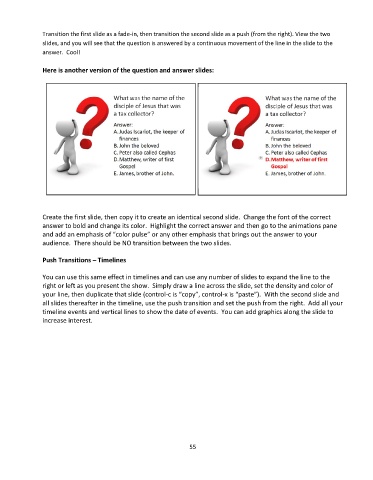
               Here is another version of the question and answer slides:


               Create the first slide, then copy it to create an identical second slide.  Change the font of the correct
               answer to bold and change its color.  Highlight the correct answer and then go to the animations pane
               and add an emphasis of “color pulse” or any other emphasis that brings out the answer to your
               audience.  There should be NO transition between the two slides.


               Push Transitions – Timelines

               You can use this same effect in timelines and can use any number of slides to expand the line to the
               right or left as you present the show.  Simply draw a line across the slide, set the density and color of
               your line, then duplicate that slide (control-c is “copy”, control-x is “paste”).  With the second slide and
               all slides thereafter in the timeline, use the push transition and set the push from the right.  Add all your
               timeline events and vertical lines to show the date of events.  You can add graphics along the slide to
               increase interest.


                                                                 55

