


Page 55 - Computer Basics - Research
P. 55
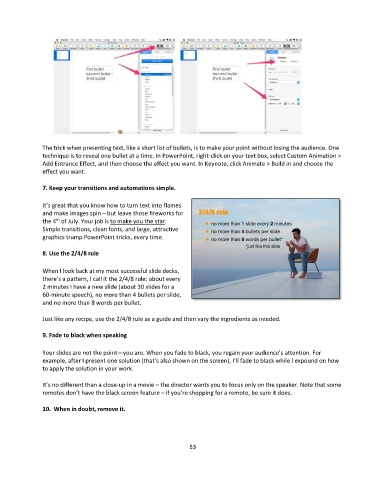
The trick when presenting text, like a short list of bullets, is to make your point without losing the audience. One
               technique is to reveal one bullet at a time. In PowerPoint, right-click on your text box, select Custom Animation >
               Add Entrance Effect, and then choose the effect you want. In Keynote, click Animate > Build in and choose the
               effect you want.


               7. Keep your transitions and automations simple.

               It’s great that you know how to turn text into flames
               and make images spin – but leave those fireworks for
               the 4  of July. Your job is to make you the star.
                    th
               Simple transitions, clean fonts, and large, attractive
               graphics trump PowerPoint tricks, every time.

               8. Use the 2/4/8 rule


               When I look back at my most successful slide decks,
               there’s a pattern, I call it the 2/4/8 rule: about every
               2 minutes I have a new slide (about 30 slides for a
               60-minute speech), no more than 4 bullets per slide,
               and no more than 8 words per bullet.

               Just like any recipe, use the 2/4/8 rule as a guide and then vary the ingredients as needed.


               9. Fade to black when speaking

               Your slides are not the point—you are. When you fade to black, you regain your audience’s attention. For
               example, after I present one solution (that’s also shown on the screen), I’ll fade to black while I expound on how
               to apply the solution in your work.

               It’s no different than a close-up in a movie – the director wants you to focus only on the speaker. Note that some
               remotes don’t have the black screen feature – if you’re shopping for a remote, be sure it does.

               10.  When in doubt, remove it.


                                                                 53

