


Page 109 - 3E User Manual- updated 3-2018
P. 109
Matter Notes


        To Add Matter Notes

            •  Add notes while viewing existing notes on a matter or without viewing existing notes.
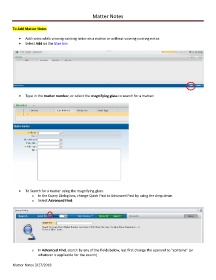
            •  Select Add on the blue bar:


            •  Type in the matter number, or select the magnifying glass to search for a matter:


            •  To Search for a matter using the magnifying glass:
                   o  In the Query Dialog box, change Quick Find to Advanced Find by using the drop down.
                   o  Select Advanced Find:


                   o  In Advanced Find, search by any of the fields below, but first change the operand to "contains" (or
                       whatever is applicable for the search)

        Matter Notes 3/27/2018

