


Page 121 - 3E User Manual- updated 3-2018
P. 121
Paperless Proforma Process


        Exclude an Entry

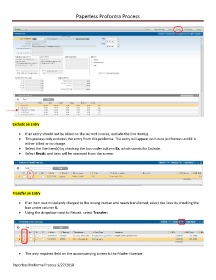
            •  If an entry should not be billed on the current invoice, exclude the line item(s).
            •  This process only excludes the entry from this proforma. The entry will appear on future proformas until it is
               either billed or no charge.
            •  Select the line item(s) by checking the box under column Ex, which stands for Exclude.
            •  Select Recalc and item will be removed from the screen:


        Transfer an Entry

            •  If an item was mistakenly charged to the wrong matter and needs transferred, select the lines by checking the
               box under column X.
            •  Using the dropdown next to Reload, select Transfer:


            •  The only required field on the accompanying screen is the Matter Number.

        Paperless Proforma Process 3/27/2018

