


Page 51 - Computer Graphics Handout
P. 51
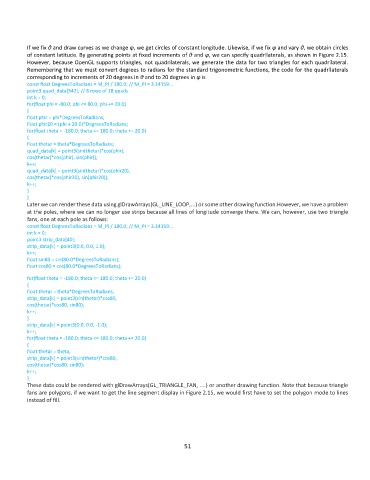
If we fix θ and draw curves as we change φ, we get circles of constant longitude. Likewise, if we fix φ and vary θ, we obtain circles
          of constant latitude. By generating points at fixed increments of θ and φ, we can specify quadrilaterals, as shown in Figure 2.15.
          However, because OpenGL supports triangles, not quadrilaterals, we generate the data for two triangles for each quadrilateral.
          Remembering that we must convert degrees to radians for the standard trigonometric functions, the code for the quadrilaterals
          corresponding to increments of 20 degrees in θ and to 20 degrees in φ is
          const float DegreesToRadians = M_PI / 180.0; // M_PI = 3.14159...
          point3 quad_data[342]; // 8 rows of 18 quads
          int k = 0;
          for(float phi = -80.0; phi <= 80.0; phi += 20.0)
          {
          float phir = phi*DegreesToRadians;
          float phir20 = (phi + 20.0)*DegreesToRadians;
          for(float theta = -180.0; theta <= 180.0; theta += 20.0)
          {
          float thetar = theta*DegreesToRadians;
          quad_data[k] = point3(sin(thetar)*cos(phir),
          cos(thetar)*cos(phir), sin(phir));
          k++;
          quad_data[k] = point3(sin(thetar)*cos(phir20),
          cos(thetar)*cos(phir20), sin(phir20));
          k++;
          }
          }
          Later we can render these data using glDrawArrays(GL_LINE_LOOP,...) or some other drawing function.However, we have a problem
          at the poles, where we can no longer use strips because all lines of longitude converge there. We can, however, use two triangle
          fans, one at each pole as follows:
          const float DegreesToRadians = M_PI / 180.0; // M_PI = 3.14159...
          int k = 0;
          point3 strip_data[40];
          strip_data[k] = point3(0.0, 0.0, 1.0);
          k++;
          float sin80 = sin(80.0*DegreesToRadians);
          float cos80 = cos(80.0*DegreesToRadians);

          for(float theta = -180.0; theta <= 180.0; theta += 20.0)
          {
          float thetar = theta*DegreesToRadians;
          strip_data[k] = point3(sin(thetar)*cos80,
          cos(thetar)*cos80, sin80);
          k++;
          }
          strip_data[k] = point3(0.0, 0.0, -1.0);
          k++;
          for(float theta = -180.0; theta <= 180.0; theta += 20.0)
          {
          float thetar = theta;
          strip_data[k] = point3(sin(thetar)*cos80,
          cos(thetar)*cos80, sin80);
          k++;
          }
          These data could be rendered with glDrawArrays(GL_TRIANGLE_FAN, ....) or another drawing function. Note that because triangle
          fans are polygons, if we want to get the line segment display in Figure 2.15, we would first have to set the polygon mode to lines
          instead of fill.


                                                              51

