


Page 58 - Computer Graphics Handout
P. 58
specifies an RGB-color clearing color that is white, because the first three components are set to 1.0, and is opaque, because the
          alpha component is 1.0. We can then use the function glClear to make the window on the screen solid and white. Note that by
          default blending is not enabled. Consequently, the alpha value can be set in glClearColor to a value other than 1.0 and the default
          window will still be opaque.

          2.5.2 Indexed Color
          Early graphics systems had frame buffers that were limited in depth. For example, we might have had a frame buffer with a spatial
          resolution of 1280 × 1024, but each pixel was only 8 bits deep. We could divide each pixel’s 8 bits into smaller groups of bits and
          assign red, green, and blue to each. Although this technique was adequate in a few applications, it usually did not give us enough
          flexibility with color assignment. Indexed color provided a solution that allowed applications to display a wide range of colors as
          long as the application did not need more colors than could be referenced by a pixel. Although indexed color is no longer part of
          recent versions of OpenGL, this technique can be created within an application.
          We follow an analogy with an artist who paints in oils. The oil painter can produce an almost infinite number of colors by mixing
          together a limited number of pigments from tubes. We say that the painter has a potentially large color palette. At any one time,
          however, perhaps due to a limited number of brushes, the painter uses only a few colors. In this fashion, she can create an image
          that, although it contains a small number of colors, expresses her choices because she can select the few colors from a large palette.
          Returning to the computer model, we can argue that if we can choose for each application a limited number of colors from a large
          selection (our palette), we should be able to create good-quality images most of the time.
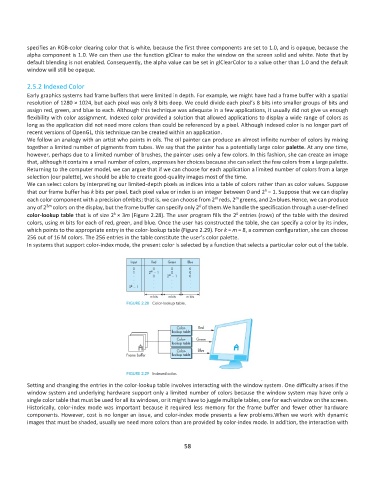
          We can select colors by interpreting our limited-depth pixels as indices into a table of colors rather than as color values. Suppose
                                                                                         k
          that our frame buffer has k bits per pixel. Each pixel value or index is an integer between 0 and 2  − 1. Suppose that we can display
                                                                        m
                                                                               m
          each color component with a precision ofmbits; that is, we can choose from 2  reds, 2  greens, and 2m blues.Hence, we can produce
                                                                   k
          any of 2 3m  colors on the display, but the frame buffer can specify only 2 of them.We handle the specification through a user-defined
                                       k
                                                                               k
          color-lookup table that is of size 2 × 3m (Figure 2.28). The user program fills the 2 entries (rows) of the table with the desired
          colors, using m bits for each of red, green, and blue. Once the user has constructed the table, she can specify a color by its index,
          which points to the appropriate entry in the color-lookup table (Figure 2.29). For k = m = 8, a common configuration, she can choose
          256 out of 16 M colors. The 256 entries in the table constitute the user’s color palette.
          In systems that support color-index mode, the present color is selected by a function that selects a particular color out of the table.


          Setting and changing the entries in the color-lookup table involves interacting with the window system. One difficulty arises if the
          window system and underlying hardware support only a limited number of colors because the window system may have only a
          single color table that must be used for all its windows, or it might have to juggle multiple tables, one for each window on the screen.
          Historically, color-index mode was important because it required less memory for the frame buffer and fewer other hardware
          components. However, cost is no longer an issue, and color-index mode presents a few problems.When we work with dynamic
          images that must be shaded, usually we need more colors than are provided by color-index mode. In addition, the interaction with


                                                              58

