


Page 781 - Med Plaza and Cancer Center
P. 781
PROPRIETARY AND CONFIDENTIAL DRAFT 28/Feb/03

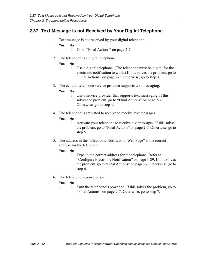
                   2.37  Text Message is not Received by Your Digital Telephone
                   Chapter 2: Troubleshooting Procedures

                   2.37 Text Message is not Received by Your Digital Telephone


                                 1. Text message is not received by your digital telephone.
                                     Yes   No
                                      ↓     → Go to “Final Actions” on page 2-7.


                                 2. The telephone is a digital telephone.
                                     Yes   No
                                      ↓     → Use a digital telephone. (The telephone must be digital for the
                                                electronic notification to work.) If this solves the problem, go to
                                                “Final Actions” on page 2-7. Otherwise, go to step 3.

                                 3. The cellular telephone service provider supports text messaging.
                                     Yes   No
                                      ↓     → Use a service provider that supports text messaging. If this
                                                solves the problem, go to “Final Actions” on page 2-7.
                                                Otherwise, go to step 4.

                                 4. The telephone is activated to receive to receive text messages.
                                     Yes   No
                                      ↓     → Activate your telephone to receive text messages. If this solves
                                                the problem, go to “Final Actions” on page 2-7. Otherwise, go to
                                                step 5.

                                 5. The address in the “Electronic Notification Web Page” is the correct
                                     address for the telephone.
                                     Yes   No
                                      ↓     → Type in the correct address for the telephone. Refer to
                                                “Configure Electronic Notification” on page 1-89. If this solves
                                                the problem, go to “Final Actions” on page 2-7. Otherwise, go to
                                                step 6.

                                 6. The telephone is powered on.

                                     Yes   No
                                      ↓     → Turn the telephone’s power on. If this solves the problem, go to
                                                “Final Actions” on page 2-7. Otherwise, go to step 7.


                   Page 2 - 42           MedPlus TotalAlert™ Alarm Network Operation and Maintenance Manual (man291ra)

