


Page 46 - Computer Basics - Research
P. 46
PRINTING
           Printing
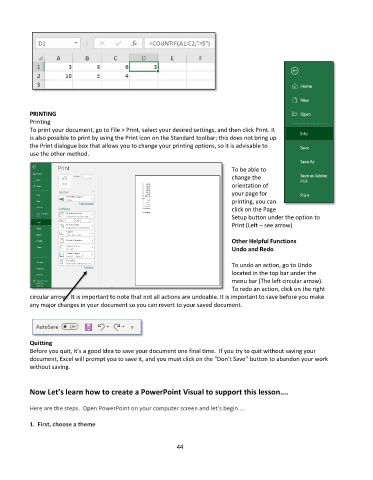
           To print your document, go to File > Print, select your desired settings, and then click Print. It
           is also possible to print by using the Print icon on the Standard toolbar; this does not bring up
           the Print dialogue box that allows you to change your printing options, so it is advisable to
           use the other method.

                                                                               To be able to
                                                                               change the
                                                                               orientation of
                                                                               your page for
                                                                               printing, you can
                                                                               click on the Page
                                                                               Setup button under the option to
                                                                               Print (Left – see arrow)

                                                                               Other Helpful Functions
                                                                               Undo and Redo

                                                                               To undo an action, go to Undo
                                                                               located in the top bar under the
                                                                               menu bar (The left circular arrow).
                                                                               To redo an action, click on the right
           circular arrow.  It is important to note that not all actions are undoable. It is important to save before you make
           any major changes in your document so you can revert to your saved document.


           Quitting
           Before you quit, it’s a good idea to save your document one final time.  If you try to quit without saving your
           document, Excel will prompt you to save it, and you must click on the “Don’t Save” button to abandon your work
           without saving.


           Now Let’s learn how to create a PowerPoint Visual to support this lesson….

           Here are the steps.  Open PowerPoint on your computer screen and let’s begin…..

           1.  First, choose a theme


                                                             44

