


Page 45 - Computer Basics - Research
P. 45
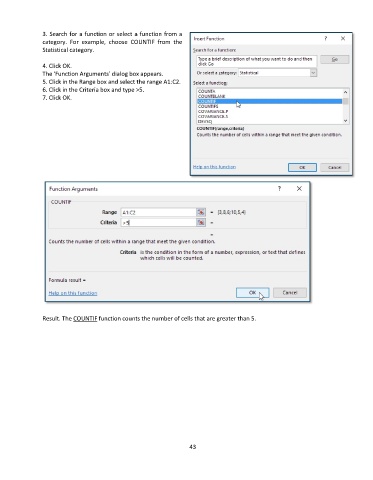
3. Search for a function or select a function from a
               category.  For  example,  choose COUNTIF from  the
               Statistical category.

               4. Click OK.
               The 'Function Arguments' dialog box appears.
               5. Click in the Range box and select the range A1:C2.
               6. Click in the Criteria box and type >5.
               7. Click OK.


               Result. The COUNTIF function counts the number of cells that are greater than 5.


                                                                 43

