


Page 44 - Computer Basics - Research
P. 44
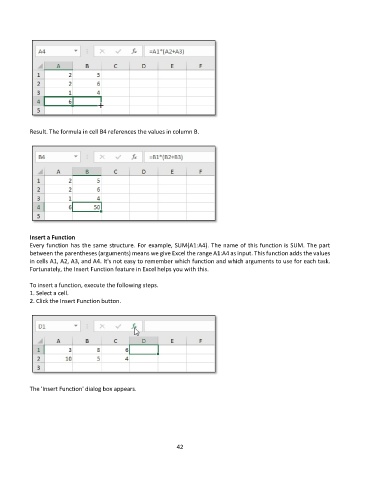
Result. The formula in cell B4 references the values in column B.


           Insert a Function
           Every function has the same structure. For example, SUM(A1:A4). The name of this function is SUM. The part
           between the parentheses (arguments) means we give Excel the range A1:A4 as input. This function adds the values
           in cells A1, A2, A3, and A4. It's not easy to remember which function and which arguments to use for each task.
           Fortunately, the Insert Function feature in Excel helps you with this.

           To insert a function, execute the following steps.
           1. Select a cell.
           2. Click the Insert Function button.


           The 'Insert Function' dialog box appears.


                                                             42

