


Page 87 - Divyank Tyagi
P. 87
|
                                                                              defining project orgAnizAtion    53


                             Perhaps you only need to apply a different view range setting to isolated areas of a view. This
                           can be accomplished with the use of the Plan Region tool. You can find this tool in the Create
                           panel of the View tab along with the other Plan View tools. The Plan Region tool allows you to
                           sketch a boundary within which the View Range dialog box will be available to make specific
                           changes. This method can be utilized for areas such as windows that might be placed in a wall
                           above the cut plane but need to be shown on the plan for documentation.
                             Another useful property of plans is known as an underlay. While this property may function
                           more like a tool, it is found in the Properties palette along with the other view properties. An
                           underlay allows you to use any other level as a reference in the current view. You can use the
                           underlay to display ceiling soffits in a floor plan, to display furniture layouts in a ceiling plan, or
                           to use another level as a reference for replicating partition layouts.

                           Creating elevations
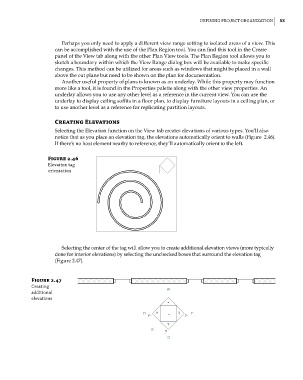
                           Selecting the Elevation function on the View tab creates elevations of various types. You’ll also
                           notice that as you place an elevation tag, the elevations automatically orient to walls (Figure  2.46).
                           If there’s no host element nearby to reference, they’ll automatically orient to the left.

                        Figure 2.46
                        elevation tag
                        orientation


                             Selecting the center of the tag will allow you to create additional elevation views (more typically
                           done for interior elevations) by selecting the unchecked boxes that surround the elevation tag
                           (Figure 2.47).


                   Figure 2.47
                   creating
                   additional
                   elevations


          c02.indd   53                                                                              5/3/2014   10:32:11 AM

