


Page 91 - Divyank Tyagi
P. 91
|
                                                                              defining project orgAnizAtion    57


                 Figure 2.52
                 floor plan callout


                           Using Drafting Views
                           Drafting views give you the ability to draw without first creating a reference to something
                           in your project. They may contain Detail and Repeating Detail components and any other
                           annotation content. Drafting views are great for quickly documenting typical conditions that
                           don’t require an actual model geometry.
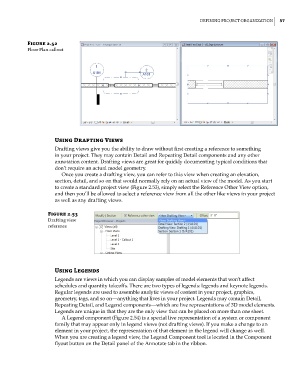
                             Once you create a drafting view, you can refer to this view when creating an elevation,
                           section, detail, and so on that would normally rely on an actual view of the model. As you start
                           to create a standard project view (Figure 2.53), simply select the Reference Other View option,
                           and then you’ll be allowed to select a reference view from all the other like views in your project
                           as well as any drafting views.

                        Figure 2.53
                        drafting view
                        reference


                           Using Legends
                           Legends are views in which you can display samples of model elements that won’t affect
                           schedules and quantity takeoffs. There are two types of legends: legends and keynote legends.
                           Regular legends are used to assemble analytic views of content in your project, graphics,
                           geometry, tags, and so on—anything that lives in your project. Legends may contain Detail,
                           Repeating Detail, and Legend components—which are live representations of 3D model elements.
                           Legends are unique in that they are the only view that can be placed on more than one sheet.
                             A Legend component (Figure 2.54) is a special live representation of a system or component
                           family that may appear only in legend views (not drafting views). If you make a change to an
                           element in your project, the representation of that element in the legend will change as well.
                           When you are creating a legend view, the Legend Component tool is located in the Component
                           flyout button on the Detail panel of the Annotate tab in the ribbon.


          c02.indd   57                                                                              5/3/2014   10:32:13 AM

