


Page 530 - Divyank Tyagi
P. 530
496   |  ChaPTER  12  Creating Walls and Curtain Walls


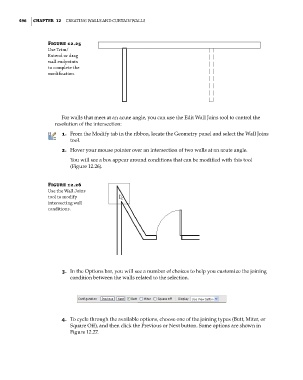
                        Figure 12.25
                        use trim/
                        extend or drag
                        wall endpoints
                        to complete the
                        modification.


                             For walls that meet at an acute angle, you can use the Edit Wall Joins tool to control the
                           resolution of the intersection:
                             1.  From the Modify tab in the ribbon, locate the Geometry panel and select the Wall Joins
                                tool.
                             2.  Hover your mouse pointer over an intersection of two walls at an acute angle.
                                You will see a box appear around conditions that can be modified with this tool
                                (Figure 12.26).


                        Figure 12.26
                        use the Wall Joins
                        tool to modify
                        intersecting wall
                        conditions.


                             3.  In the Options bar, you will see a number of choices to help you customize the joining
                                condition between the walls related to the selection.


                             4.  To cycle through the available options, choose one of the joining types (Butt, Miter, or
                                Square Off), and then click the Previous or Next button. Some options are shown in
                                Figure 12.27.


          c12.indd   496                                                                             5/3/2014   11:12:46 AM

