


Page 15 - Computer Graphics Handout
P. 15
a physical device—either to select a location on the screen of our CRT or to indicate which item in a menu we wish to select. In the
          first case, an x, y pair (in some coordinate system) is returned to the user program; in the second, the application program may
          receive an integer as the identifier of an entry in the menu.
          The separation of physical from logical devices allows us to use the same physical devices in multiple markedly different logical ways.
          It also allows the same program to work, without modification, if the mouse is replaced by another physical device, such as a data
          tablet or trackball.

          1.2.5 Physical Input Devices
          From the physical perspective, each input device has properties that make it more suitable for certain tasks than for others. We take
          the view used in most of the workstation literature that there are two primary types of physical devices: pointing devices and
          keyboard devices. The pointing device allows the user to indicate a position on the screen and almost always incorporates one or
          more buttons to allow the user to send signals or interrupts to the computer. The keyboard device is almost always a physical
          keyboard but can be generalized to include any device that returns character codes. We use the American Standard Code for
          Information Interchange (ASCII) in our examples. ASCII assigns a single unsigned byte to each character. Nothing we do restricts us
          to this particular choice, other than that ASCII is the prevailing code used.
          Note, however, that other codes, especially those used for Internet applications, use multiple bytes
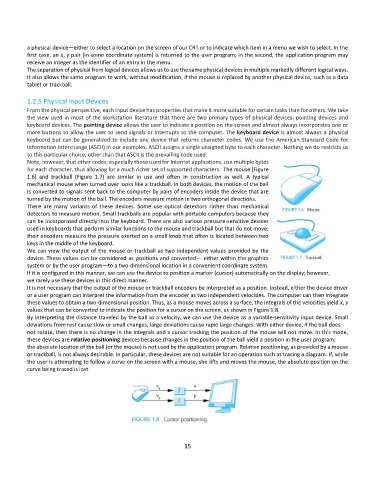
          for each character, thus allowing for a much richer set of supported characters.  The mouse (Figure
          1.6)  and  trackball  (Figure  1.7)  are  similar  in  use  and  often  in  construction  as  well.  A  typical
          mechanical mouse when turned over looks like a trackball. In both devices, the motion of the ball
          is converted to signals sent back to the computer by pairs of encoders inside the device that are
          turned by the motion of the ball. The encoders measure motion in two orthogonal directions.
          There  are  many  variants  of  these  devices.  Some  use  optical  detectors  rather  than  mechanical
          detectors to measure motion. Small trackballs are popular with portable computers because they
          can be incorporated directly into the keyboard. There are also various pressure-sensitive devices
          used in keyboards that perform similar functions to the mouse and trackball but that do not move;
          their encoders measure the pressure exerted on a small knob that often is located between two
          keys in the middle of the keyboard.
          We can view the output of the mouse or trackball as two independent values provided by the
          device. These values can be considered as positions and converted— either within the graphics
          system or by the user program—to a two-dimensional location in a convenient coordinate system.
          If it is configured in this manner, we can use the device to position a marker (cursor) automatically on the display; however,
          we rarely use these devices in this direct manner.
          It is not necessary that the output of the mouse or trackball encoders be interpreted as a position. Instead, either the device driver
          or a user program can interpret the information from the encoder as two independent velocities. The computer can then integrate
          these values to obtain a two-dimensional position. Thus, as a mouse moves across a surface, the integrals of the velocities yield x, y
          values that can be converted to indicate the position for a cursor on the screen, as shown in Figure 1.8.
          By interpreting the distance traveled by the ball as a velocity, we can use the device as a variable-sensitivity input device. Small
          deviations from rest cause slow or small changes; large deviations cause rapid large changes. With either device, if the ball does
          not rotate, then there is no change in the integrals and a cursor tracking the position of the mouse will not move. In this mode,
          these devices are relative-positioning devices because changes in the position of the ball yield a position in the user program;
          the absolute location of the ball (or the mouse) is not used by the application program. Relative positioning, as provided by a mouse
          or trackball, is not always desirable. In particular, these devices are not suitable for an operation such as tracing a diagram. If, while
          the user is attempting to follow a curve on the screen with a mouse, she lifts and moves the mouse, the absolute position on the
          curve being traced is lost.


                                                              15

