


Page 165 - Computer Graphics Handout
P. 165
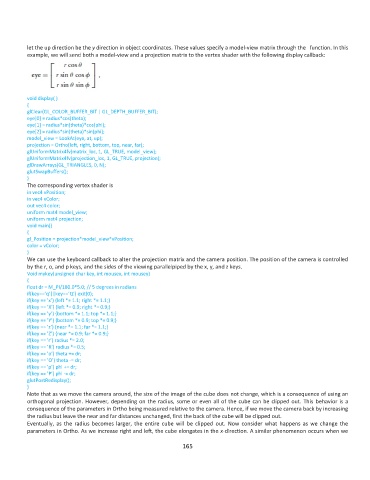
let the up direction be the y direction in object coordinates. These values specify a model-view matrix through the   function. In this
          example, we will send both a model-view and a projection matrix to the vertex shader with the following display callback:


          void display( )
          {
          glClear(GL_COLOR_BUFFER_BIT | GL_DEPTH_BUFFER_BIT);
          eye[0] = radius*cos(theta);
          eye[1] = radius*sin(theta)*cos(phi);
          eye[2] = radius*sin(theta)*sin(phi);
          model_view = LookAt(eye, at, up);
          projection = Ortho(left, right, bottom, top, near, far);
          glUniformMatrix4fv(matrix_loc, 1, GL_TRUE, model_view);
          glUniformMatrix4fv(projection_loc, 1, GL_TRUE, projection);
          glDrawArrays(GL_TRIANGLES, 0, N);
          glutSwapBuffers();
          }
          The corresponding vertex shader is
          in vec4 vPosition;
          in vec4 vColor;
          out vec4 color;
          uniform mat4 model_view;
          uniform mat4 projection;
          void main()
          {
          gl_Position = projection*model_view*vPosition;
          color = vColor;
          }
          We can use the keyboard callback to alter the projection matrix and the camera position. The position of the camera is controlled
          by the r, o, and p keys, and the sides of the viewing parallelpiped by the x, y, and z keys.
          Void mykey(unsigned char key, int mousex, int mousey)
          {
          float dr = M_PI/180.0*5.0; // 5 degrees in radians
          if(key==’q’||key==’Q’) exit(0);
          if(key == ’x’) {left *= 1.1; right *= 1.1;}
          if(key == ’X’) {left *= 0.9; right *= 0.9;}
          if(key == ’y’) {bottom *= 1.1; top *= 1.1;}
          if(key == ’Y’) {bottom *= 0.9; top *= 0.9;}
          if(key == ’z’) {near *= 1.1; far *= 1.1;}
          if(key == ’Z’) {near *= 0.9; far *= 0.9;}
          if(key == ’r’) radius *= 2.0;
          if(key == ’R’) radius *= 0.5;
          if(key == ’o’) theta += dr;
          if(key == ’O’) theta -= dr;
          if(key == ’p’) phi += dr;
          if(key == ’P’) phi -= dr;
          glutPostRedisplay();
          }
          Note that as we move the camera around, the size of the image of the cube does not change, which is a consequence of using an
          orthogonal projection. However, depending on the radius, some or even all of the cube can be clipped out. This behavior is a
          consequence of the parameters in Ortho being measured relative to the camera. Hence, if we move the camera back by increasing
          the radius but leave the near and far distances unchanged, first the back of the cube will be clipped out.
          Eventually,  as  the  radius becomes  larger,  the  entire  cube  will  be  clipped  out.  Now  consider  what  happens  as  we  change  the
          parameters in Ortho. As we increase right and left, the cube elongates in the x-direction. A similar phenomenon occurs when we

                                                             165

