


Page 16 - Computer Basics - Research
P. 16
9.  Region and Language – You can change the language to see on the screen to one of probably over 100
           languages (sorry, Bimba is not on their list).  You can also default how you want dates to appear, as well as the
           time.

           Purchasing a Computer
           When considering the merits of a computer, it’s important to consider the following questions:
           ●      How fast can the computer perform tasks?
           ●      How much information (or data) can it store?
           ●      How many programs (i.e., software) can it run simultaneously?

           Buying a computer is a big decision and can be quite expensive. It is a good idea to do some research before
           buying a computer to find out what would work best for your needs, what computers have performed well for
           others, and what models are within your price range. Asking for help finding this information at the reference
           desk of your local library is a good place to start. In addition, here are some websites you might want to check
           out:

           ●      http://www.consumerreports.org/ (under electronics, select “Computers”)
           ●      http://www.ehow.com/how_3038_buy-computer.html
           ●      http://www.pcworld.com/article/125649/how_to_buy_a_desktop_pc.html

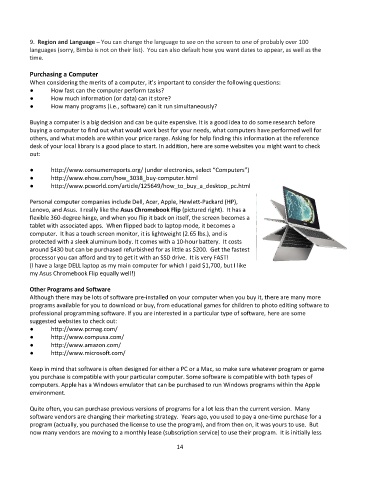
           Personal computer companies include Dell, Acer, Apple, Hewlett-Packard (HP),
           Lenovo, and Asus.  I really like the Asus Chromebook Flip (pictured right).  It has a
           flexible 360-degree hinge, and when you flip it back on itself, the screen becomes a
           tablet with associated apps.  When flipped back to laptop mode, it becomes a
           computer.  It has a touch screen monitor, it is lightweight (2.65 lbs.), and is
           protected with a sleek aluminum body. It comes with a 10-hour battery.  It costs
           around $430 but can be purchased refurbished for as little as $200.  Get the fastest
           processor you can afford and try to get it with an SSD drive.  It is very FAST!
           (I have a large DELL laptop as my main computer for which I paid $1,700, but I like
           my Asus Chromebook Flip equally well!)

           Other Programs and Software
           Although there may be lots of software pre-installed on your computer when you buy it, there are many more
           programs available for you to download or buy, from educational games for children to photo editing software to
           professional programming software. If you are interested in a particular type of software, here are some
           suggested websites to check out:
           ●      http://www.pcmag.com/
           ●      http://www.compusa.com/
           ●      http://www.amazon.com/
           ●      http://www.microsoft.com/

           Keep in mind that software is often designed for either a PC or a Mac, so make sure whatever program or game
           you purchase is compatible with your particular computer. Some software is compatible with both types of
           computers. Apple has a Windows emulator that can be purchased to run Windows programs within the Apple
           environment.

           Quite often, you can purchase previous versions of programs for a lot less than the current version.  Many
           software vendors are changing their marketing strategy.  Years ago, you used to pay a one-time purchase for a
           program (actually, you purchased the license to use the program), and from then on, it was yours to use.  But
           now many vendors are moving to a monthly lease (subscription service) to use their program.  It is initially less

                                                             14

