


Page 34 - Computer Basics - Research
P. 34
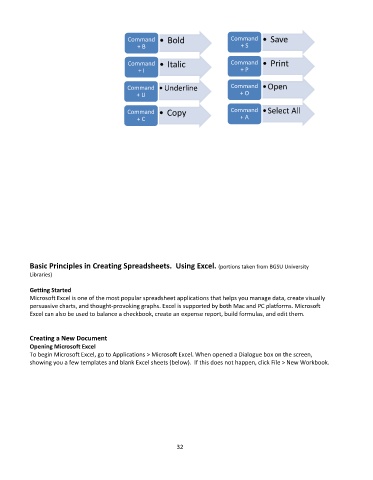
Command    • Bold                  Command    • Save
                                                                                  + S
                                               + B

                                            Command    • Italic                Command    • Print
                                                                                  + P
                                                + I

                                            Command    •Underline              Command    •Open
                                                                                  + O
                                               + U

                                            Command    • Copy                  Command    •Select All
                                                                                  + A
                                               + C


           Basic Principles in Creating Spreadsheets.  Using Excel. (portions taken from BGSU University
           Libraries)

           Getting Started
           Microsoft Excel is one of the most popular spreadsheet applications that helps you manage data, create visually
           persuasive charts, and thought-provoking graphs. Excel is supported by both Mac and PC platforms. Microsoft
           Excel can also be used to balance a checkbook, create an expense report, build formulas, and edit them.


           Creating a New Document
           Opening Microsoft Excel
           To begin Microsoft Excel, go to Applications > Microsoft Excel. When opened a Dialogue box on the screen,
           showing you a few templates and blank Excel sheets (below).  If this does not happen, click File > New Workbook.


                                                             32

